Installation
Requirements
- Spigot, Paper, or Purpur server (1.19 - 1.21)
- Java 17 or higher
- At least 256MB RAM allocated to the plugin
Installation Steps
- Download the AtlasAuth.jar file from our website
- Place the jar file into your server's
pluginsfolder - Restart or reload your server
- The plugin will generate its configuration files automatically
For the best experience, we recommend using Paper or Purpur as your server software. These Spigot forks offer better performance and more configuration options.
Configuration
After first run, the plugin will create a config.yml file in plugins/AtlasAuth/. Here are the main configuration options:
config.yml
# AtlasAuth Configuration
# Version: 2.0.2

settings:
  enabled: true
  require-login: true
  force-login-on-join: true

security:
  enable-2fa: true
  enable-anti-bot: true
  max-sessions-per-player: 3
  session-timeout: 86400

messages:
  prefix: "&7[&aAtlasAuth&7] "
  login-message: "&7Please login using /login &b&7"
  register-message: "&7Please register using /register &b &b"
Main Configuration Options
| Option | Description | Default |
|---|---|---|
| enabled | Enable or disable the plugin | true |
| require-login | Players must login before moving | true |
| enable-2fa | Enable two-factor authentication | true |
| enable-anti-bot | Enable anti-bot protection | true |
Commands & Permissions
Player Commands
| Command | Description |
|---|---|
| /login [password] | Login to your account |
| /register [password] [confirm] | Register a new account |
| /2fa setup | Set up 2FA authentication |
| /2fa disable | Disable 2FA |
| /changepassword | Change your account password |
Admin Commands
| Command | Description | Permission |
|---|---|---|
| /atlasauth reload | Reload plugin configuration | atlasauth.admin |
| /atlasauth force-login [player] | Force a player to login | atlasauth.admin |
| /atlasauth ban [player] | Ban a player from authentication | atlasauth.admin |
| /atlasauth sessions | View active sessions | atlasauth.admin |
Screenshots
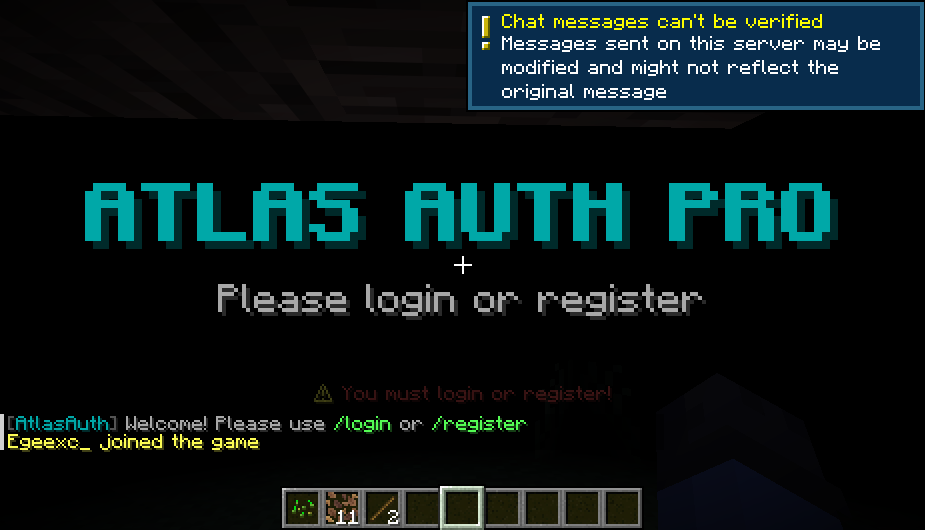
Figure 1: In-game login prompt
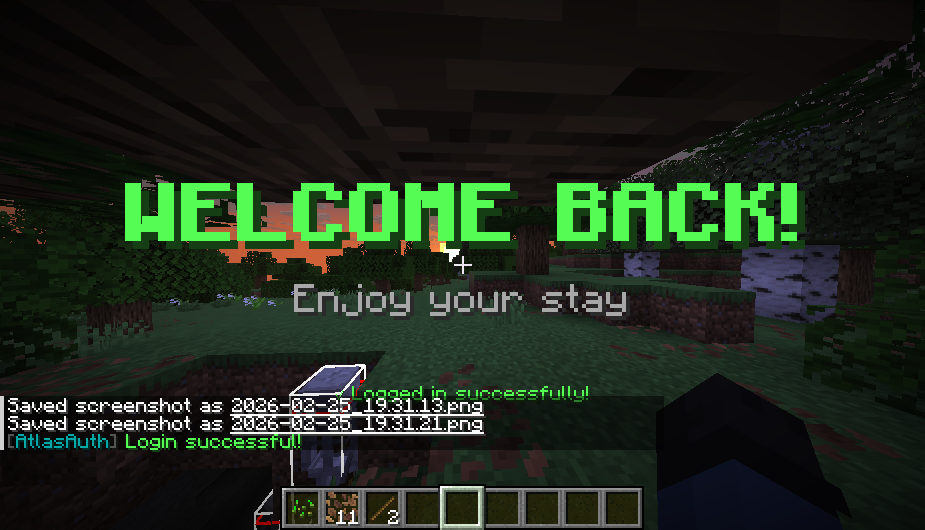
Figure 2: Admin dashboard
Support
If you encounter any issues or have questions:
- Check our FAQ section on the website
- Join our Discord server for community support
- Open a ticket in our support Discord
- Contact us through the contact page
For security reasons, never share your admin password with anyone. Our staff will never ask for your server password.